
How to access the dark web without exposing yourself or getting scammed
To access the dark web you need Tor Browser and nothing else: no VPN, no special computer, no account. Download it from the Tor Project, connect, switch the security level to Safest, and open an onion address that the organisation behind the site published itself. The setup is the easy part. What keeps you safe on the dark web is where your addresses come from and what you refuse to click, type or buy once you're there.
It helps to know what you're walking into. Plenty of onion sites are ordinary organisations offering a more private door: the BBC, ProPublica, Proton Mail and the CIA all run one. Around them sits a huge layer of fraud. In March 2026 a single police operation took down more than 373,000 onion sites run by one man, every one of them a scam. If you're still working out what the dark web actually is, our dark web explainer covers that first.
What you need, and what you can skip
| Thing | Do you need it? | Why |
|---|---|---|
| Tor Browser | Yes | Onion sites only open over the Tor network. Tor's own definition: they're "only accessible through the Tor network." |
| A VPN | No | The Tor Project doesn't recommend one unless you know how to configure both without breaking Tor's protections. |
| A bridge | Only if Tor is blocked, or if your ISP mustn't see you use it | A bridge gets you past blocks and hides the fact that you're connecting to Tor. |
| Tails or another special OS | Only if being identified would put you in danger | See the last section of this page. |
| An account, a wallet, a "verified link list" | No | Nothing legitimate needs any of them for you to get on. A site or a forum post that pushes one at you is usually the start of a scam. |
Dark web for beginners: the words you'll run into
The first forum thread you open will assume you know these. You don't need them to get on, but you need them to understand what you're reading.
- Onion site, onion service, hidden service
- All the same thing: a site reachable only through Tor, at an address ending in .onion. "Hidden services" is the older name.
- v2 and v3 addresses
- v3 is the 56-character kind and the only one that works today. The old 16-character v2 addresses "no longer work on today's Tor network", so a list that still shows them hasn't been checked in years.
- Mirror
- A second address for the same site, used when the main one is under attack. Real mirrors are announced on the operator's own channel. "Mirror" links posted anywhere else are the classic phishing bait.
- PGP-signed message
- A text signed with the operator's key, so you can check it really came from them. Serious sites publish their mirror lists this way. A signature only means something if you got the key from a source you already trusted.
- Escrow
- A market holding a buyer's money until the order arrives. The DEA describes darknet markets as typically holding money in escrow while a vendor delivers. It protects buyers from vendors, not from the market itself.
- Exit scam
- The market shuts down and its operators keep the money sitting in escrow and user wallets. The DEA calls exit scams "common among large darknet marketplaces."
- Link list or "hidden wiki"
- A page of onion links anyone can copy, edit or fake. Treat it as a rumour, not a source.
How to access the dark web safely, step by step
- Download Tor Browser from torproject.org. Not from an app store listing, a download portal or a link someone sent you, because that's where the fake copies live. Check the signature before you install. It takes five minutes and catches a tampered file, and our Tor Browser guide walks through it on Windows, macOS and Linux.
- Install it and click Connect. On most networks that's all it takes. If the progress bar stalls, Connection Assist can choose a bridge for you based on your location. If it stalls again, Tor is probably blocked where you are, so jump to the section on blocked networks below.
- Set the security level to Safest before you open any onion site. Click the shield icon, open the settings, choose Safest and restart the browser. If you skip this step, every unknown site you open gets to run JavaScript on your machine.
- Open your first address from a source you already trust. The quickest test is DuckDuckGo's onion search, which the Tor Project itself suggests for checking that onion sites work. If that loads, the rest will.
- Look at the address bar. Tor Browser shows an onion icon when you're on an onion service, and clicking it opens the circuit display. Then bookmark the site, so you never type or paste that address again.
Which security level to use, and what Safest breaks
Use Safest for any onion site you don't already know. On Safest, JavaScript is disabled by default on all sites, some fonts, icons, math symbols and images are disabled, and audio and video become click-to-play. Tor describes the level as allowing only "website features required for static sites and basic services".
In practice that means text, links and most forums work, and many onion services are built to run without scripts. Webmail, captchas, logins and anything built as an app either half-load or fail. That's the trade, and on the dark web it's worth it: EFF's reasoning is that Safest protects you from well-funded attackers who use new, unknown bugs in the features it turns off, and on an unknown onion site you have no idea who wrote the page.
When one trusted site won't work, such as the Proton Mail onion you got from proton.me, drop to Safer for that visit, then go back to Safest and restart. Don't lower the level because an unknown site asks you to. A dark web page that won't show you anything until you turn JavaScript on is telling you something. Our Tor Browser guide has the full Standard, Safer and Safest comparison.
Do you need a VPN to go on the dark web?
No. That's the Tor Project's position, not a contrarian one. Its support page says combining the two "can reduce anonymity or break Tor's protections if not configured correctly", and that it doesn't recommend a VPN with Tor "unless you're an advanced user who knows how to configure both."
Plenty of guides put a VPN in their steps anyway, usually next to a sign-up link. Here's what a VPN in front of Tor actually changes. Your internet provider sees a VPN connection instead of a Tor connection. In exchange, a VPN company now sees your real IP address and the fact that you connect to Tor, and you're trusting its no-logs promise. If hiding your Tor use from your ISP is what you're after, a bridge does it without a third company. Tor says plainly that by default it doesn't hide your Tor use from someone watching your connection, and that a bridge reduces that risk.
There are narrow cases for a VPN, mostly a network that blocks Tor and every bridge type. For those, the Tor vs VPN comparison covers the censorship case and the combinations that leave you less safe than Tor alone.
Where your first onion addresses should come from
The rule is that an onion address comes from the organisation that runs the site, through a channel you already trust. In order of how much that proves:
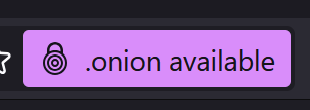
- The ".onion available" button. Some websites announce their onion version with a header called Onion-Location. When you visit one in Tor Browser, a purple ".onion available" pill appears in the address bar, and clicking it reloads the site at its onion address. Because you reached the ordinary site over HTTPS first, this is about as strong as confirmation gets. Try it on torproject.org or proton.me.
- A page on the operator's own website that lists the address. The BBC published its onion address in its own advice on accessing BBC News. Newspapers print their SecureDrop addresses on their tips pages.
- The Tor Project's own lists. onion.torproject.org lists the onion services the Tor Project runs, and its onion services page features a set of well-known onion sites.
We collected the ones worth having in our directory of real onion sites, each with a link to the page or header the address comes from, so you can check it yourself.
Where not to get addresses: search results, "hidden wiki" link lists, Reddit comments, Telegram channels, or a page that promises "verified" market links. Anyone can publish any address on those. Even a popular "official onion sites" list we checked carries Tor Project and Internet Archive addresses that don't match what those organisations publish themselves, and our directory shows the comparison. If you want to search onion space anyway, our dark web search engines guide says which engines filter out the worst of it.
How to tell a real onion site from a clone
Most people think the onion icon means they're on the genuine site. It doesn't. It means the connection is an onion service. Tor's own documentation says that for an onion served over plain HTTP or with an ordinary domain-validated certificate, "the icon does not provide information that you're connected to the 'right site'." A clone shows the same icon as the original.
What protects you is the address, and where you got it. Tor says even a small typo stops an onion site from loading at all, so a mistyped address won't land you on a lookalike. The danger is a different, perfectly valid address handed to you as the real one. What a v3 address is made of, and how to check one by eye, is on the onion directory page.
- Don't trust the first few characters. Facebook, DuckDuckGo and the CIA all run onion addresses that begin with their own names, which shows that a chosen opening can be generated. A scammer can do the same, so a clone can share the real site's first characters and differ further along. Compare all 56, or better, don't retype at all.
- Get the address from two sources that don't copy each other. SecureDrop builds its whole process on this. Its source guide tells you to compare the address in the SecureDrop Directory with the one on the news organisation's own landing page, and not to submit if they don't match. Apply the same rule everywhere.
- Bookmark it once it checks out. After that you open the bookmark, never a link someone posts.
- Watch what the site wants from you. A "mirror" that asks you to log in, re-enter a PGP key, or deposit funds before it shows you anything is built to harvest exactly that.
Phishing clones are only one of the scams built around onion sites, and our dark web scams guide has the other patterns, from fake escrow to "recovery" services.
Is it legal to just browse the dark web?
In most countries, yes. Germany's federal cyber-security agency, the BSI, puts it in one line: "Browsing the dark net alone is not illegal, although it is a security risk." It adds where the line sits: "you become a criminal as soon as you consume or download illegal content or purchase illegal goods and services." That's one government describing its own law, and yours is the one that applies to you. The Tor Project doesn't give legal advice and points people to EFF's lawyers.
Two caveats. First, in countries that block or police Tor, being seen to use it can matter in itself, and your ISP and local network can see that you connect to the Tor network unless you use a bridge. Our 2026 Tor usage report shows where blocking is heaviest.
Second, people underestimate how little it takes. Trying to buy something illegal is the offence, even if the seller is a fraud. In Operation Alice, investigators identified 440 customers of sites that advertised material and never delivered it. Europol describes a man who transferred €20 to one of them and was later convicted.
How to use the dark web safely once you're on: what never to do
The browser-level rules, like no add-ons, no torrents and no opening documents while you're online, are in our Tor Browser guide. These are the ones specific to onion sites:
- Don't buy anything. Apart from the law, markets end badly for the people with money in them. Wall Street Market's administrators took about $11 million from escrow and user accounts. Incognito Market's owner stole at least $1 million in deposits, then demanded payment from his own users or he'd publish their histories. And when police take a market over, they keep its records. Dutch police running Hansa passed some 10,000 buyers' foreign addresses to Europol. The history of darknet markets has how every major market ended.
- Don't bring your identity with you. Tor is blunt that once you sign in or type a name, email address or phone number into a site, you're no longer anonymous to it. On the dark web that also covers reused usernames, a familiar writing style and the email you use for everything. Our page on whether Tor can be traced goes through real cases where this is exactly how people were found.
- Don't download and open files. The BSI says the risk of malware is significantly higher on the dark net than on the clear web. A document opened outside Tor Browser can also reveal your real IP address.
- Don't follow a link to "the real" anything. Every "the old address is down, here's the new mirror" post is either a scam or something you can check yourself on the operator's own channel.
- Don't send cryptocurrency to anyone you met there. No refunds, no chargebacks, no one to complain to. "Escrow" run by the same people holding the funds is just a slower way to lose it.
If Tor is blocked on your network
Direct access to Tor is sometimes blocked by an internet provider or a government, and school and office networks often do the same. Tor Browser has workarounds built in, called pluggable transports. In the connection settings, under Bridges, choose "Select a Built-In Bridge" and pick one:
- obfs4
- Makes Tor traffic look random. Try it first.
- Snowflake
- Routes you through volunteer proxies so it looks like a video call. Good where obfs4 is blocked.
- WebTunnel
- Makes the connection look like an ordinary HTTPS website visit.
- meek
- Disguises Tor as traffic to a big cloud provider. Keep it for when the others fail.
If the built-in bridges are blocked too, ask for private ones. Bridge addresses aren't public, so you request them inside Tor Browser with "Request bridges", from bridges.torproject.org, from @GetBridgesBot on Telegram (send /obfs4 or /webtunnel), or by emailing bridges@torproject.org from a Gmail or Riseup address. Our bridges guide covers which type works in which country.
Accessing the dark web on a phone or iPhone
On Android, install Tor Browser for Android. It's the same browser with the same security levels, and the steps above apply unchanged.
On an iPhone there's no Tor Browser at all. The Tor Project recommends Onion Browser instead, but warns that Apple's requirement for every iOS browser to use WebKit "prevents Onion Browser from having the same privacy protections as Tor Browser." It's fine for reading. The BBC notes that its onion site works in Onion Browser on iPhones. For anything where being identified would cost you, use a computer.
When to use Tails instead of just Tor Browser
It depends on what happens to you if you're identified. For most readers, here's how that works out:
- You're curious, reading the news, or looking around
- Tor Browser on your own computer, on Safest, following the rules above. Tails adds friction you don't need.
- You're sending documents or a tip to a journalist
- Tor Browser still works, but where you connect from now matters as much as how. SecureDrop's own guide says not to use your employer's network or hardware, and not to use your home internet either. The New York Times recommends a public Wi-Fi network and a computer free of malware, and suggests Tails "for added security." The Guardian advises against jumping straight from its information page to its SecureDrop site.
- Being identified would put you in danger
- Use Tails. It runs from a USB stick instead of your normal operating system, sends everything through Tor, blocks any application that tries to connect without Tor, and leaves no trace on the computer when you shut it down. It also helps on a computer you don't trust, because it doesn't use the hard disk at all.
Tails has limits as well. Its own warnings say it can't always protect you if it was installed from an infected computer or runs on hardware with a keylogger, that it makes it clear you're using Tor and probably Tails, and that no anonymity network can protect you completely from end-to-end correlation attacks. If you need a setup that stays put between sessions, Whonix is the other main option. Which of the two fits which threat is the question Tails vs Whonix answers.